
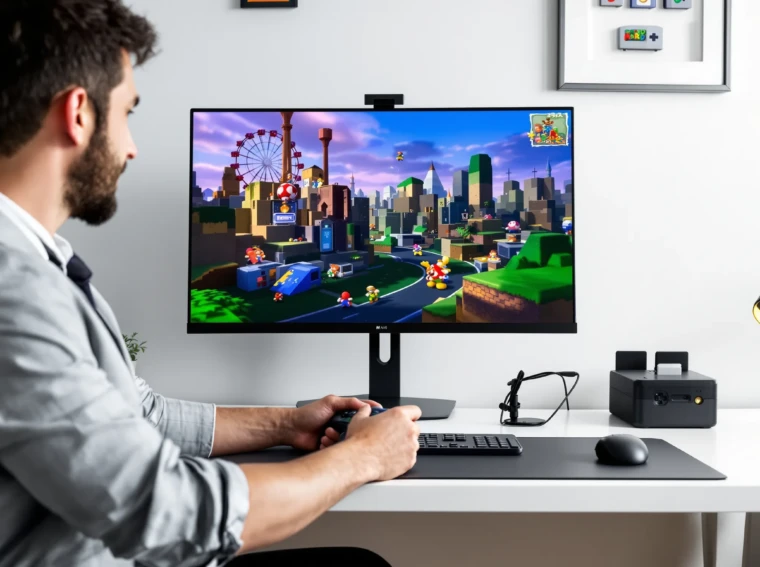
Picture this: It’s 2 a.m., you’re hunched over your keyboard, and you’ve just heard the familiar “It’s-a me, Mario!” echo from your speakers. But you’re not holding a chunky gray controller—you’re playing on your PC. If you’ve ever wanted to relive the magic of the Nintendo 64, a nintendo 64 emulator pc can make it happen. But here’s the part nobody tells you: getting that perfect, nostalgia-fueled experience takes more than just downloading a file and double-clicking. Let’s break it down.
What Is a Nintendo 64 Emulator for PC?
A nintendo 64 emulator pc is software that lets your computer act like a Nintendo 64 console. It runs classic N64 games—think Super Mario 64, The Legend of Zelda: Ocarina of Time, GoldenEye 007—right on your desktop. The emulator reads game files (called ROMs) and mimics the original hardware, so you can play with a keyboard, controller, or even a custom setup.
If you’ve ever struggled with old cartridges that won’t load or consoles that won’t power on, emulators offer a second chance. But not all emulators are created equal. Some run games smoothly, others stutter or crash. The difference? The right software, settings, and a little patience.
Why Use a Nintendo 64 Emulator on PC?
Let’s be honest: original N64 hardware is aging. Cartridges get dusty, controllers wear out, and TVs don’t always have the right ports. A nintendo 64 emulator pc solves these problems. Here’s why people love them:
- Convenience: Play hundreds of games from one place—no cartridge swapping.
- Save States: Pause and save your game anywhere, not just at checkpoints.
- Graphics Upgrades: Boost resolution, add filters, and make old games look sharper.
- Controller Options: Use modern controllers or even remap keys for comfort.
- Mods and Cheats: Try fan-made mods or enable cheats for a new twist.
But here’s the catch: emulators aren’t always plug-and-play. You might need to tweak settings, hunt for the right plugins, or troubleshoot glitches. If you love tinkering and want the best experience, you’ll find it rewarding. If you want zero hassle, it might not be for you.
Top Nintendo 64 Emulators for PC
Not all nintendo 64 emulator pc options are equal. Some focus on accuracy, others on speed or features. Here are the most popular choices:
-
Project64:
- Easy to use, with a clean interface
- Great compatibility with most games
- Active community and frequent updates
- Supports save states, cheats, and controller mapping
-
Mupen64Plus:
- Focuses on accuracy and performance
- Works on Windows, Mac, and Linux
- More technical setup, but highly customizable
-
RetroArch:
- All-in-one emulator platform
- Supports N64 and dozens of other systems
- Steeper learning curve, but powerful features
Here’s the part nobody tells you: sometimes, a game that works perfectly on Project64 might glitch on Mupen64Plus, or vice versa. If you’re chasing that flawless run of Majora’s Mask, try a few emulators and see which one fits.
How to Set Up a Nintendo 64 Emulator on PC
Ready to get started? Here’s a step-by-step guide:
- Download your chosen nintendo 64 emulator pc from the official website. Avoid sketchy third-party sites.
- Install the emulator. Most come as simple installers or zip files.
- Find N64 ROMs. Only use backups of games you own—piracy is illegal and risky.
- Load the ROM in your emulator. Most have a “File > Open” option.
- Configure controls. Plug in a USB controller or use your keyboard. Map buttons to match your style.
- Tweak graphics and audio settings. Boost resolution, enable filters, or adjust sound for the best experience.
- Save your progress. Use save states for tricky sections or to experiment without fear.
Pro tip: If a game runs slowly or looks weird, check for updated plugins or try a different emulator. Sometimes, a small tweak makes all the difference.
Legal and Ethical Considerations
Let’s get real for a second. Downloading a nintendo 64 emulator pc is legal, but downloading ROMs for games you don’t own isn’t. Always use your own game backups. If you’re unsure, check the laws in your country. Supporting developers and buying official re-releases helps keep classic games alive.
Tips for the Best Nintendo 64 Emulator PC Experience
Want to make your retro gaming sessions unforgettable? Here’s what works:
- Use a controller: Modern USB controllers feel great, but you can also buy adapters for original N64 controllers.
- Experiment with plugins: Graphics and audio plugins can fix glitches or improve visuals. Try a few to see what works best for your favorite games.
- Join online communities: Forums like Reddit’s r/emulation or Discord servers offer troubleshooting tips, game recommendations, and plugin advice.
- Keep your emulator updated: Developers fix bugs and add features all the time. Updates can solve problems you didn’t even know you had.
- Back up your saves: Nothing hurts more than losing a 40-hour Zelda save. Copy your save files to a safe spot.
If you’ve ever lost progress or spent hours tweaking settings, you’re not alone. Everyone hits snags. The payoff? That moment when Mario leaps across the screen, just like you remember.
Who Should Use a Nintendo 64 Emulator PC?
If you love classic games, enjoy tinkering with settings, or want to relive childhood memories, a nintendo 64 emulator pc is for you. It’s also great for speedrunners, modders, and anyone who wants to play N64 games with modern comforts. But if you want a plug-and-play experience with zero setup, you might prefer official re-releases or mini consoles.
Here’s the truth: Emulators aren’t perfect. Some games have glitches, and setup can take time. But for many, the nostalgia and flexibility are worth it.
Final Thoughts: The Magic of N64 on PC
There’s something special about firing up a nintendo 64 emulator pc and hearing that iconic startup chime. It’s not just about playing old games—it’s about recapturing a feeling, sharing it with friends, or discovering classics you missed. If you’re ready to dive in, start with Project64 or Mupen64Plus, grab your favorite controller, and get ready for a trip down memory lane. And if you hit a snag, remember: every retro gamer has been there. The journey is half the fun.