
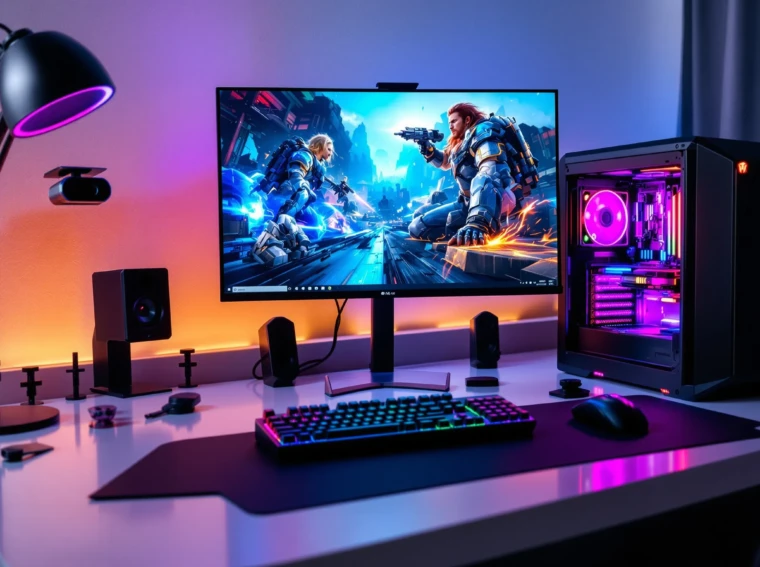
Picture this: You’re hunched over a half-built PC, hands covered in thermal paste, a tangle of cables at your feet, and a single question echoing in your mind—do I really have everything I need for a PC? If you’ve ever felt that mix of excitement and panic, you’re not alone. Building a PC is a rite of passage for gamers, creators, and anyone who wants a machine that feels personal. But it’s easy to miss a step, forget a part, or get lost in the details. Here’s the part nobody tells you: even seasoned builders sometimes forget the basics. Let’s break it down and make sure you have everything you need for a PC—no guesswork, no regrets.
Who Should Build Their Own PC?
If you love tinkering, crave control over your tech, or want the best bang for your buck, building a PC is for you. If you hate troubleshooting, get anxious around small parts, or just want something that works out of the box, buying prebuilt might save your sanity. There’s no shame in either path. But if you’re here, you probably want to know everything you need for a PC and how to get it right the first time.
The Core Components: Everything You Need for a PC
Let’s start with the essentials. Every PC needs these parts, no exceptions. Miss one, and your build won’t boot. Here’s your checklist:
- CPU (Processor): The brain. Intel or AMD, pick your side. Think about what you’ll do most—gaming, editing, or just browsing.
- Motherboard: The backbone. Make sure it fits your CPU (socket type matters) and has enough slots for your needs.
- RAM (Memory): The multitasker. 16GB is the sweet spot for most, but 32GB feels luxurious if you edit video or run lots of apps.
- Storage: SSDs make everything faster. NVMe drives are lightning quick, but even a basic SATA SSD beats old hard drives. Add a big HDD for extra space if you need it.
- GPU (Graphics Card): Gamers and creators, this is your workhorse. If you just browse and stream, you can skip it—many CPUs have built-in graphics.
- Power Supply (PSU): Don’t cheap out here. Get a reliable brand, enough wattage, and the right connectors. 80 Plus Bronze or better is a safe bet.
- Case: Where it all lives. Pick one that fits your parts and your style. Don’t forget airflow—hot PCs are unhappy PCs.
- Operating System: Windows, Linux, or something else. You’ll need a license or a free distro.
Here’s why this matters: Forgetting even one of these means your PC won’t work. Double-check your list before you buy.
The Extras: What Makes a PC Complete
Now for the stuff that turns a pile of parts into a real, usable computer. These aren’t optional if you want to actually use your PC:
- Monitor: 1080p is fine for most, but 1440p or 4K looks amazing. Refresh rate matters for gaming—aim for 144Hz if you can.
- Keyboard and Mouse: Mechanical keys feel great, but any reliable set will do. Wireless or wired? That’s your call.
- IR Tracker: This is optional, but for those into simulation games, an IR tracker offers precise head tracking and advanced motion detection, elevating both gaming and productivity.
- Speakers or Headset: Don’t settle for tinny sound. Even a $30 headset beats built-in speakers.
- Wi-Fi Adapter: If your motherboard doesn’t have Wi-Fi, grab a USB or PCIe adapter. Ethernet is faster, but not always possible.
- Webcam and Microphone: If you work from home or stream, these are must-haves. Built-in mics are usually terrible.
Here’s the truth: You can build the world’s fastest PC, but without a monitor or keyboard, it’s just a fancy paperweight.
Tools and Accessories: The Overlooked Essentials
Let’s talk about the little things. These don’t show up in flashy build guides, but they save you hours of frustration:
- Phillips Screwdriver: Magnetic tips help. Don’t use a butter knife—trust me.
- Thermal Paste: Some coolers come with it, some don’t. Always check.
- Zip Ties or Velcro Straps: Cable management isn’t just for looks. It keeps airflow smooth and makes upgrades easier.
- Anti-Static Wrist Strap: Not everyone uses one, but it’s cheap insurance against fried parts.
- Flash Drive: For installing your operating system. 8GB is plenty.
Here’s a lesson I learned the hard way: I once spent an hour searching for a single missing screw. Keep a small container for parts, and you’ll thank yourself later.
Common Mistakes and How to Avoid Them
If you’ve ever built a PC, you know the feeling—something doesn’t fit, or it won’t turn on. Here are the mistakes I’ve made (so you don’t have to):
- Forgetting to plug in the CPU power cable. It’s easy to miss, and your PC won’t boot without it.
- Buying a case that’s too small for your graphics card. Always check dimensions before you buy.
- Skipping the motherboard standoffs. This can short your board and ruin your day.
- Not updating BIOS for new CPUs. Sometimes, your board needs a quick update before it’ll work with the latest chips.
Next steps: Double-check every connection, read your manuals, and don’t rush. If you get stuck, there’s a huge online community ready to help.
What About Prebuilt PCs?
Here’s the part nobody tells you: Sometimes, buying prebuilt makes sense. If you want everything you need for a PC without the hassle, prebuilt systems can save time and stress. You’ll pay a bit more, but you get support and a warranty. If you’re short on time or patience, this is a smart move.
Final Thoughts: Your PC, Your Way
Building a PC is part puzzle, part adventure. You’ll make mistakes, learn new tricks, and end up with a machine that’s truly yours. If you’ve ever wondered if you have everything you need for a PC, remember: it’s not just about the parts. It’s about the experience, the lessons, and the satisfaction of pressing that power button for the first time. So grab your checklist, take a deep breath, and dive in. You’ve got this.