
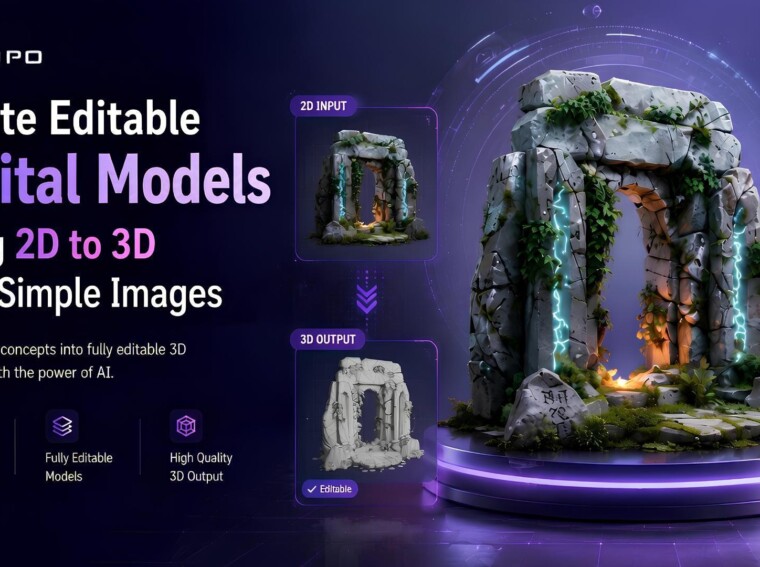
The ability to generate digital models that can be edited from images is becoming more and more accessible, thanks to AI tools. Current reconstruction systems reconstruct a planar image today, which can be edited and refined to create a structured geometry. This feature can be useful for designers, artists, engineers, and product developers in a variety of workflows. With Tripo 3D, regular images can be converted into structured 3D resources within a short time. In this article, you will learn about image-based reconstruction, how to create Tripo 3D’s flexible digital assets from a single image input, and how to create geometry that can be edited.
Understanding the Fundamentals of 2D to 3D Image Conversion
The initial stage of the conversion process is the image analysis and the subject recognition. Tripo 3D analyzes visible forms, proportions, and structural details in an image. The system then relies on visual cues such as shadows, contours, and perspective relationships to approximate depth. Advanced reconstruction algorithms create geometry that is representative of the structure detected. Surface generation creates a mesh that represents the shape of the object. Organized topology allows flexibility with editing after generation. This process converts 2d to 3d for a variety of creative uses.
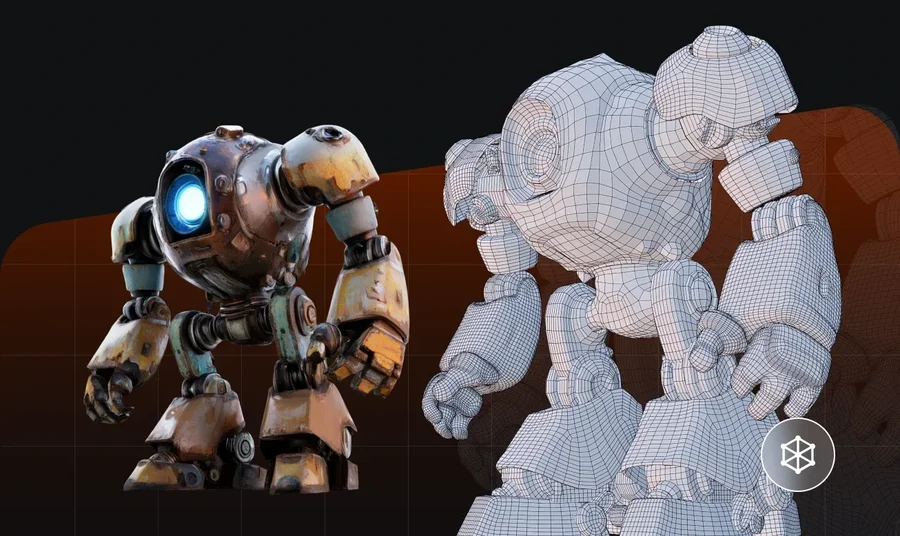
Why Simple Images Can Become Editable 3D Models
AI systems can effectively interpret a single image that contains useful information. Tripo 3D detects the silhouettes, contours, and proportion relationships of the objects in the image. The platform algorithmically estimates surfaces that are not directly visible in the image. While keeping the original appearance, reconstruction algorithms construct coherent geometry. Visible and inferred surfaces remain consistent to preserve recognizable forms. The system handles photos, illustrations, sketches, concept art, and reference photos. This flexibility allows users to transform different types of visual media into editable digital assets.
Key Characteristics of Editable Models Generated by Tripo 3D
Tripo 3D’s models use structured geometry that can be refined and extended. Organized mesh layouts enable editing changes throughout a wide range of editing environments. Flexible topology can support animation and auto rigging if further processing is required. The platform provides multiple export formats for compatibility with other software. The generated assets are suitable for visualization, concept validation, and prototype development activities. Depending on the image quality and settings used, the resulting geometry can support modifications while preserving the original design intent throughout the editing process.
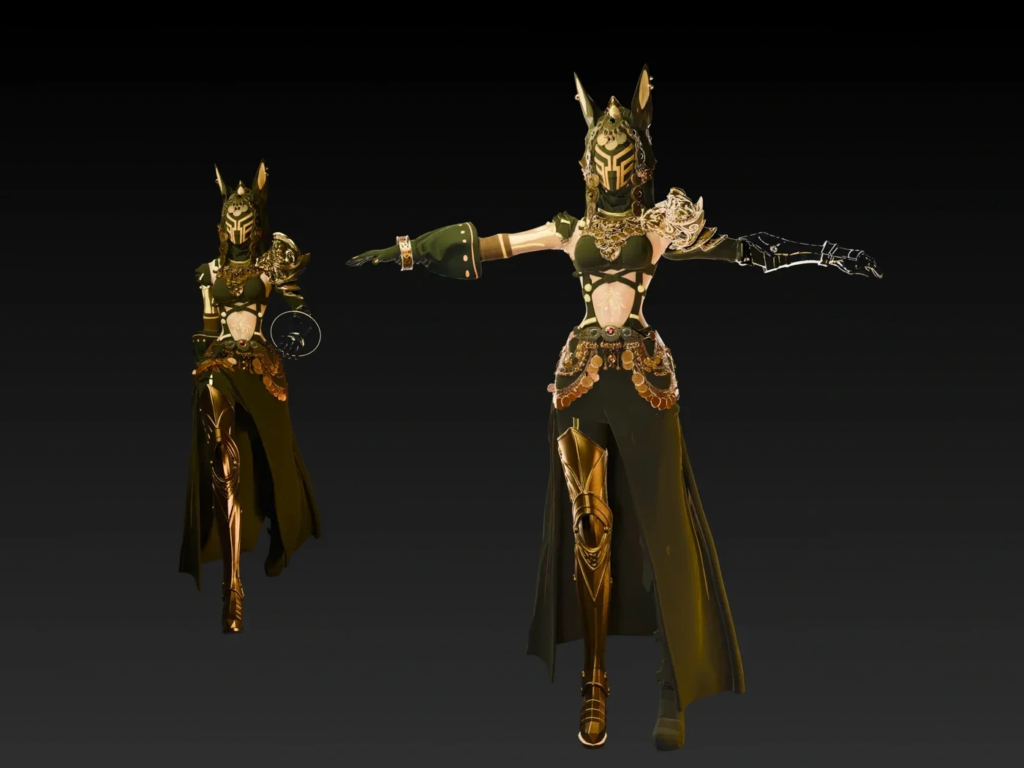
Steps to Create Editable Digital Models Using 2D to 3D from Simple Images
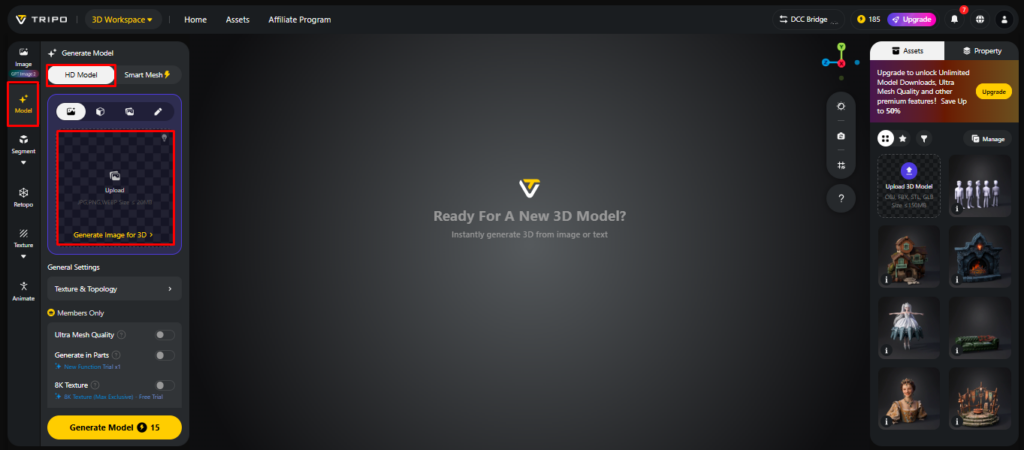
Step 1: Access the Workspace and Import Your Image
- First, you need to access Tripo 3D and signup. Next, go to the “Model” tab present in the vertical left menu bar.
- Under the menu, click on the “HD Model”.
- You can drag and drop to upload the image, or you can also upload the image from a specific location of your device using the “Upload” tab.
Step 2: Configure Model Parameters for Editing
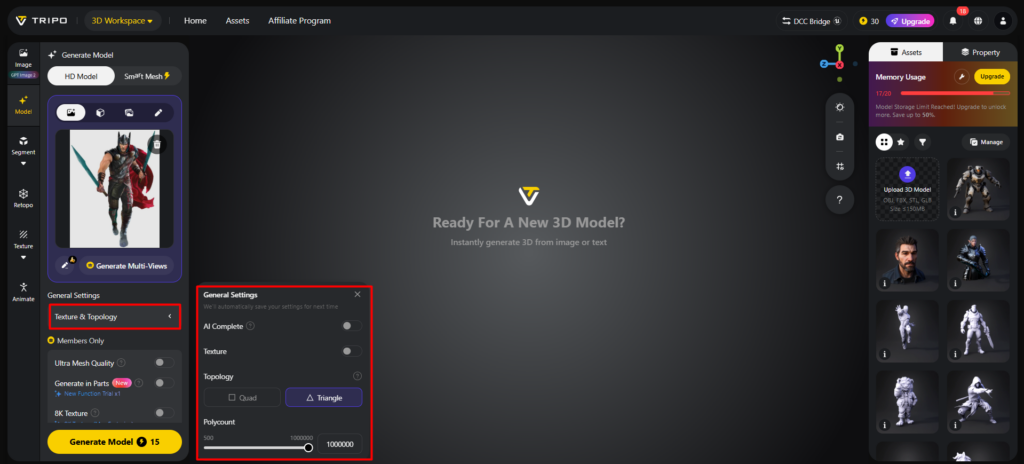
- Under the “General settings” tab, you can either allow the AI to completely generate on its own by switching “AI complete”. Or you can turn on texture and select the custom “Texture Quality” like 2K, 4K, or 8K.
- You can also turn on “PBR” for accurate material reflective properties.
- For better topology characteristics, select either “Quad” or “Triangle” topology.
- You can also set the custom polycount.
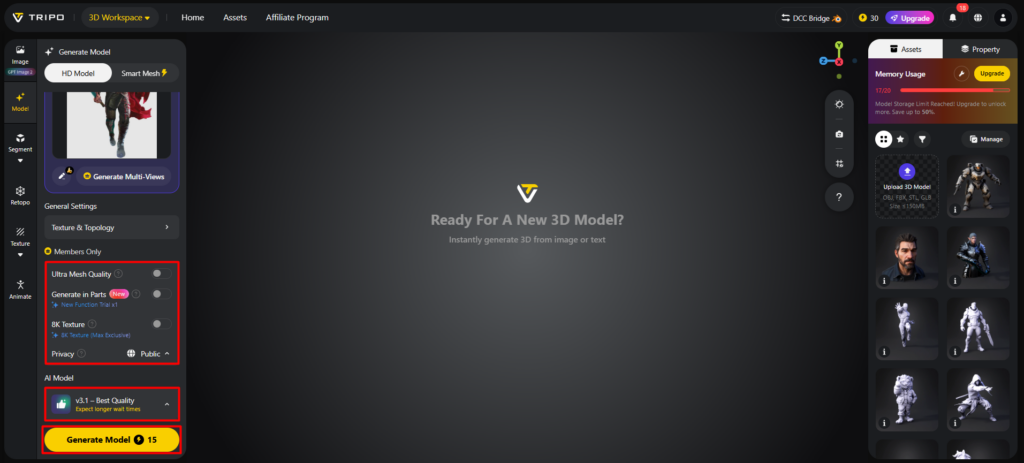
- Later choose the model from the list, including v3.1 best quality, v3.0 fast and balanced, or v2.5 legacy.
- If you are a member, then you can choose “Generate in Parts”, “8K Texture”, and “Privacy” options.
- Finally, click on the “Generate Model” to begin generation.
Step 3: Fine-Tune and Export the Editable Model
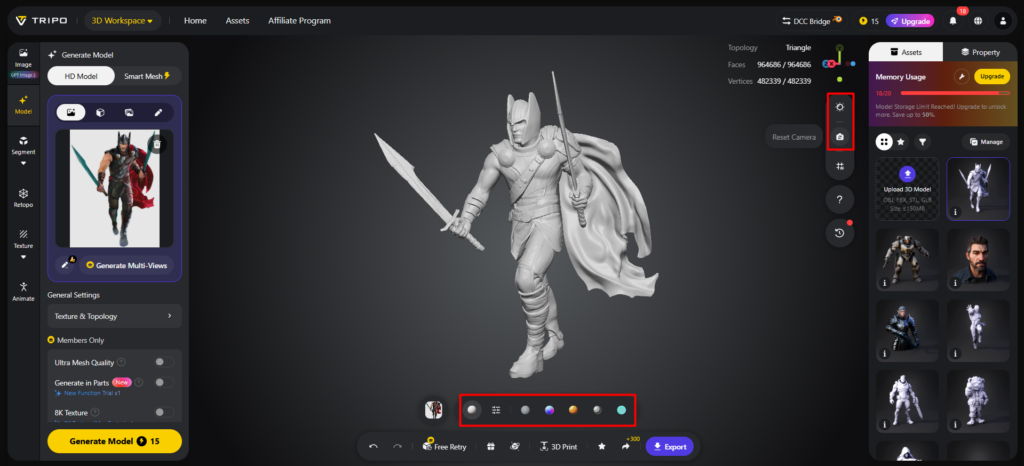
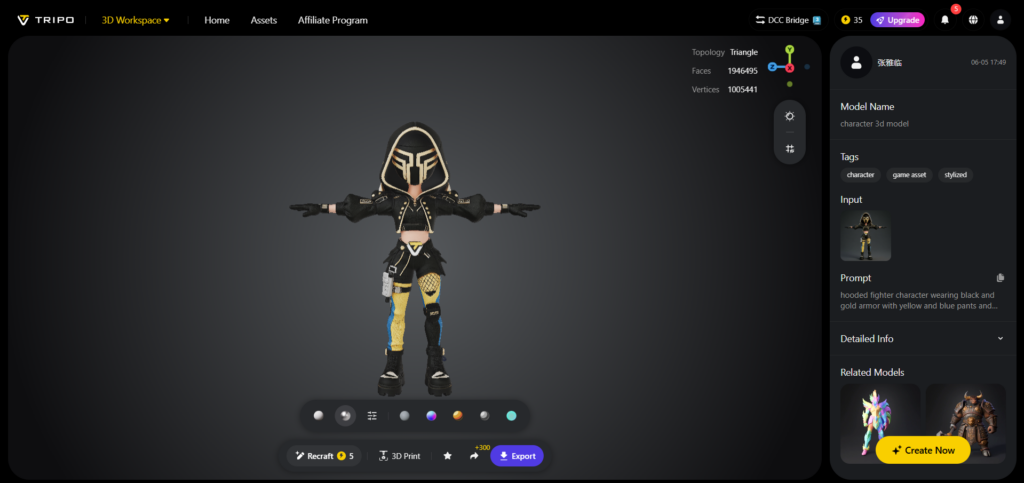
- Tripo 3D allows you to completely view your model in the style you want. Key styles include “Solid View”, “Cartoon Style”, “Sketch Style”, “Hologram Style”, and “Unlit” form. You can also “Refine” your design right through the bottom menu.
- You can also edit the “Environment Settings” and camera settings through “Reset Camera”.
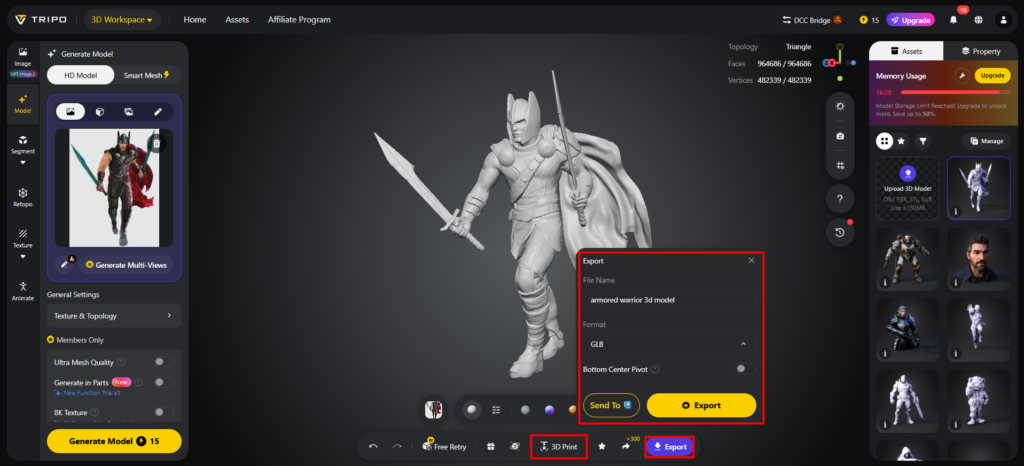
- You can 3D print the design you want, or you can share it directly by clicking “3D Print”.
- In the end, click on the “Export” tab from the bottom menu. Next, choose the resolution, format, and filename, and click again on “Export” to save the design to your local device.
Essential Elements That Improve Single-Image Reconstruction
Input quality is a major factor affecting reconstruction accuracy and structural consistency. The more clearly the subject is visible, the more effectively Tripo 3D can identify important features. Clean backgrounds help reduce visual noise during object detection and shape analysis. Uniform lighting helps reveal contours and improve depth estimation. Well-defined edges support geometry generation with improved accuracy. Balanced image resolution provides sufficient detail and clarity without excessive noise. Proper object positioning improves proportional analysis and surface reconstruction. These factors help create more consistent and usable geometry across different input types and creative applications.
Advantages of Creating Editable Assets from Simple Images
Image-based reconstruction supports the transition from visual concepts to digital geometry. Tripo 3D automates many reconstruction steps to reduce manual modeling work. Faster asset creation allows creators to visualize and evaluate designs more efficiently. Creative experimentation becomes easier because several ideas can be tested within a short period. Models created by the generation process can be edited and further refined after generation. The workflow allows the creation of models suitable for design reviews and presentations. This can reduce the time required for building basic geometry and allow creators to focus on concept development.
Common Types of Images Suitable for Tripo 3D Conversion
Tripo 3D can process a wide variety of image types because its reconstruction system adapts to different visual structures. Product photographs provide a variety of shapes and recognizable textures. Concept art helps preserve the intended visual style during geometry generation. Technical drawings provide organized outlines that support dimensional interpretation. Character illustrations capture proportions and stylized forms that can be refined later. Sketch references can be converted into “editable geometry” for design exploration. When visibility is clear, object photography can support shape recognition. In addition, reference libraries and free 3d models are often used as source images for reconstruction workflows.
High-Performing Input Categories
- Product Photos: A clean presentation makes the shape of the object easier to identify. Structured surfaces can support geometry reconstruction.
- Concept Art: Helps preserve the intended visual style and design direction.
- Technical Drawings: Clearly defined outlines improve dimensional interpretation.
- Character Illustrations: Capture artistic forms and proportions, generating meshes that can be refined further.
- Sketch References: Help transform ideas into digital geometry and support early-stage design exploration.
- Object Photography: Works well for clearly visible objects and can improve depth estimation quality.
Export and Editing Possibilities After Model Generation
Reconstructed models can be used in various post-processing workflows and offer flexibility. For certain applications, artists can alter topology for a better structure. Visual quality and surface detail can be improved through additional textures. Exported files are utilized in animation pipelines, visualization projects, and interactive experiences. Many creators use these assets for presentations, design reviews, and concept demonstrations. Supported export formats also allow preparation for 3D printing when physical prototypes are required. If required, geometry, materials, and functions can be extended to better match project requirements and creative goals.
Conclusion
Tripo 3D automatically reconstructs images to generate digital models with structured geometry that can be modified. Organized topology allows for modification, refinement, and flexibility in workflow for a wide variety of creative industries. Flat visuals can be transformed into flexible digital assets that support visualization, prototyping, and design development. Tripo 3D supports various image formats, offers flexible export options, and includes built-in editing tools that can simplify the digital creation process.